
After the shock of finding my account gone settled, I spent the weekend doing research. I wanted to understand whether I had caused this somehow, how common it actually was, and what other business owners had done when it happened to them. What I found was more unsettling than I expected.
The short version: most people who lose their accounts did nothing wrong. And most of them also hadn’t taken the basic step of protecting what they’d built. That combination is more costly than Instagram will ever acknowledge.
Why Was My Instagram Account Disabled When I Broke No Rules
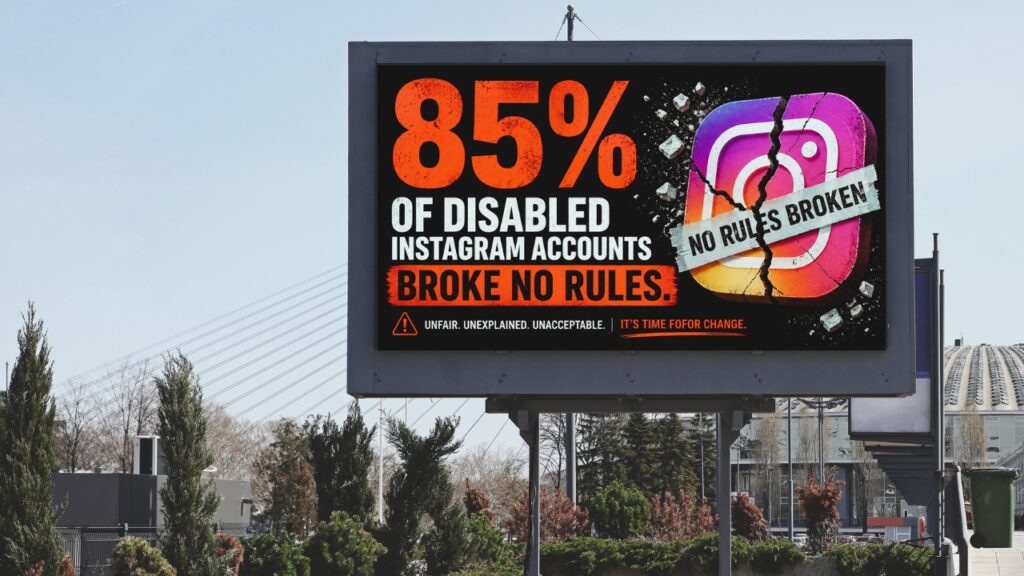
The most common question after an account disappears is: Why did Instagram disable my account when I had followed all of the their guidelines? Data from that period showed that approximately 85% of disabled accounts had not violated Instagram’s terms of service. This was not a niche problem affecting a handful of rule-breakers. Their automated system created a widespread issue. You can read more about the scope of Meta’s automated enforcement in Meta’s transparency reporting.
Instagram’s messaging when it disables an account says you violated the rules, not that their system may have made an error. That framing sends people searching for what they did wrong, when the more accurate question is what the platform’s system got wrong.
How Instagram’s Automated Systems Work Against You
Instagram’s enforcement operates at a scale most account holders don’t realise. The platform removes hundreds of millions of pieces of content every quarter using automated systems, and account disabling follows a similar pattern. When the volume is that high, errors are not occasional outliers. They are a predictable part of how the system functions.
A false report from another user is one of the most common triggers. If someone reports your account, whether the claim is accurate or not, Instagram’s system may disable it. You don’t get notified in advance or given a chance to respond. The disable happens first, and the review, if it happens at all, comes after.
Understanding this changes how you approach your appeal. If your account was disabled by error rather than a violation, say that in your appeal. Documenting that you have followed all Community Guidelines and have not violated any specific term gives your case a clearer foundation than a generic submission.
How to Download Your Instagram Data Before You Lose Access
I had never considered downloading my content before this happened. If you’re account ends up disabled you will lose the ability to download anything. This means the time to request your data is right now, not after something goes wrong.
To request your data, open Instagram and go to Settings> Activity > Your Activity, then Download your information. Select the date range you want and your preferred file format. Instagram will send you a download link when the file is ready. Depending on how much content you have, this can take anywhere from a few minutes to a few days.
Save the file somewhere reliable, whether that’s cloud storage, an external drive, or both. Treat it the same way you would treat any other important business document, because that’s exactly what it is.
While my account was disabled, I lost access to years of personal photos. No appeal process brings those back. The only protection is having a copy before anything goes wrong.
Back Up Your Facebook Content Too
If you use Facebook for your business, back that up at the same time. Go to Settings and Privacy in Facebook, then Settings, then Your Facebook Information, then Download your information. Choose the date range and content types, and Facebook will prepare a file for you.
The logic here is the same as backing up a computer. You wouldn’t run a business on a laptop with no backup and assume the hard drive would never fail. The content you’ve built on these platforms deserves the same level of care, particularly when the platform controls access and can revoke it without warning.
What This Reveals About Where Your Marketing Lives
The harder piece is understanding what the loss reveals about where your real marketing assets actually live.
Most business owners have put significant effort into building a social media presence. Their followers and content are all there. But none of it lives in a place they control. Social media platforms own your audience. They decide who sees your content, how people access you, and they can change those rules at any time.
The businesses that come through a disabled account with the least disruption already have something the platform cannot touch. An email list gives you a direct line to your audience that no algorithm or account disable can interrupt. A website with your own content means your work exists somewhere you own, regardless of what any platform decides to do.
At Post Road Marketing, this is the foundational conversation I have with clients who have built their whole presence on social media and haven’t yet built something they actually own. The goal isn’t to abandon Instagram. The goal is to use it to bring people into an ecosystem you control, rather than building your entire business on a platform that can lock you out without warning.
Is Meta Verified Worth It for Business Owners?
Meta Verified is also worth looking at as one layer of protection. Meta offers a paid subscription for Facebook and Instagram that verifies your identity, gives you direct access to support, and adds extra account protection. It doesn’t stop every type of account disable, but it does get you faster access to a real person and creates a verified record that helps you push back if your account gets flagged by mistake.
Frequently Asked Questions
Why was my Instagram account disabled for no reason?
Instagram’s automated enforcement systems flag accounts based on behavioural patterns, and those systems make mistakes. Research from periods of widespread disabling showed that approximately 85% of affected accounts had not violated any terms. A false report from another user, an unusual login pattern, or a shift in account activity can all trigger a disable without a person reviewing your specific situation first.
What happens to my content when Instagram disables my account?
If your account disappears you can’t access any of your content. Instagram’s download tool typically becomes unavailable at the same time, which is why downloading your data before anything goes wrong matters so much. Download your content as soon as your account is reinstated.
How do I download my Instagram data?
Open Instagram and go to Settings and Activity, then Your Activity, then Download your information. Choose your preferred date range and file format, and Instagram will send a download link when the file is ready. The process can take anywhere from a few minutes to a few days, so request it now rather than waiting for a problem to arise.
What does it mean to build your business on rented land?
Building on rented land means your marketing presence lives on platforms you don’t own. The platform controls access, sets the rules, and can disable your account at any time without your consent. When that happens, you have no guaranteed way to reach your audience unless you’ve also built something that belongs entirely to you, such as an email list or a website with your own content.
What is Meta Verified and does it protect against account disabling?
Meta Verified is a paid subscription from Meta that provides account verification, a blue badge, dedicated support access, and enhanced account protections for both Instagram and Facebook. It doesn’t prevent all forms of disabling, but it gives you faster access to human support and a stronger identity record if your account is ever wrongly flagged.
This is part two of a five-part series. The next post covers what happened when Instagram gave me a false impersonation reason and how to dispute it.