
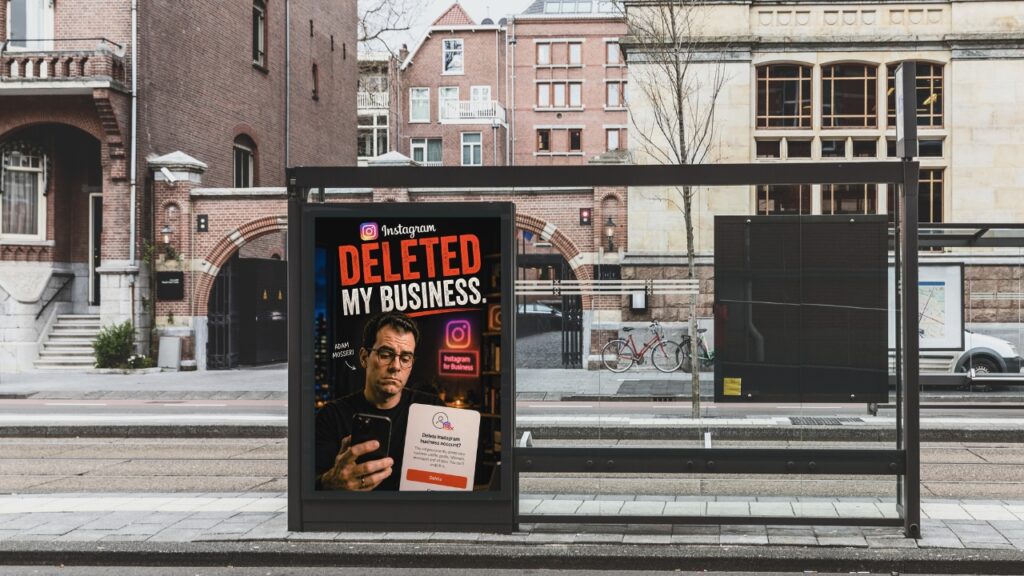
On February 19, 2021, I opened Instagram the way I do every morning. My account’s gone. A message saying my Instagram account was disabled for violating the terms of service. No explanation came with it, nothing about which rule I’d supposedly broken or what had triggered the decision. I posted a couple of times a week and never received a warning.
If this has just happened to you, know you are not alone, and you may be able to recover it. I documented everything as it unfolded, and what I learned changed how I approach building an online business.
What an Instagram Account Disabled Message Actually Looks Like
The message itself tells you almost nothing. It says you’ve violated the Community Guidelines or Terms of Use. Instagram doesn’t tell you which rule, which post, or which action triggered the decision. You’ll see an option to submit an appeal right in the app, which is worth doing immediately.
What comes next is a waiting game with no clear endpoint. You won’t get a case number to track, a timeline, or access to a person who can help you. Your account disappears from public view while the system processes your appeal at its own pace.
Understanding why this happens changes what you do about it.
Why Instagram Disables Accounts, Even When You Broke No Rules
The first thing I found out through research was that this wasn’t just happening to me. Data from that period showed that around 85% of disabled accounts had not actually violated Instagram’s terms of service. The platform’s automated systems flag accounts based on patterns. Something as simple as a false report from another user or a login from an unfamiliar device.
According to Meta’s policies, an account can be disabled if it is believed to violate their Community Guidelines or Terms of Use. The key word there is ‘believe.’ The initial determination usually comes from a their automated system, not a person, and automated systems make mistakes.
Being flagged is not the same as being guilty. This is more common than Instagram acknowledges publicly.
The First Steps to Take When Your Instagram Account Is Disabled
Do these things as soon as you see the message.
Submit an appeal through the app right away. On the disabled screen, there is an option to disagree with the decision. Selecting it creates a record of your dispute, which matters if the case needs to escalate beyond the automated queue.
Screenshot the message for your documentation. The reason Instagram gives you can change throughout your appeal. You want a clear record of what it said at the start.
If your Instagram is a Business or Creator account connected to a Facebook Page, you have an additional path. Go to facebook.com/business/help, click Support in the top right corner, select Get Started, and choose your Business Manager account or Facebook Page. This connects you to Facebook Chat support, which is one of the few ways to reach a real person rather than an automated queue. At this point, you may get a case number.
Hold off on starting a new account while your original is under review. Creating a second account can complicate your appeal; it’s better to wait.
What a Disabled Account Reveals About Your Marketing Foundation
Once the initial panic settled, something became clear. I had spent years building a presence on a platform I didn’t own. Instagram could lock me out at any time without warning, and there is little communication throughout the appeal process. It genuinely feels like they don’t care about their users.
This is the situation most business owners find themselves in when social media is their whole marketing strategy. The platform decides who sees your content and whether your account stays active. You don’t get a vote in either decision.
The businesses that recover from this kind of disruption are those that already have an audience the platform can’t reach. An email list and a website with real content mean that a disabled account is an inconvenience rather than a crisis.
I come back to this often at Post Road Marketing. Social media is a useful part of a marketing strategy, but you need to build something that belongs to you. An email list and a clear message on your own website give you a foundation no platform can revoke.
What to Do Before This Ever Happens to You
These steps are worth taking today, even if your account is perfectly fine right now.
Request a download of your Instagram data. Go to Settings> Activity> Your Activity, then Download your information. The file takes time to process, so request it now. Once an account is disabled, you aren’t able to download your content.
Do the same with Facebook. Go to Settings and Privacy> Your Facebook Information> then Download your information. Backing up your Instagram content, as you would a computer, is necessary. Losing years of photos, videos, and business content is devastating. Make it part of your monthly routine.
Start building an email list if you haven’t started one. Your email list is the one audience that belongs to you. No platform can disable it, and no algorithm change can bury it. When Instagram went dark for me, having another way to stay in touch with clients made a real difference.
Frequently Asked Questions
What does it mean when Instagram disables your account?
It means Instagram has blocked access to your account, usually because their automated system flagged it for a potential violation of their Community Guidelines or Terms of Use. The decision is often made by an algorithm rather than a person, and it can happen even when you haven’t broken any rules. You’ll see a message when you try to log in, and you can submit an appeal directly from that screen.
How long does it take to get a disabled Instagram account back?
There is no predictable timeline. Some accounts are reinstated within hours, while others take weeks or months. During the 2021 wave of widespread account disabling, some business owners waited up to eight months while filing daily appeals. Instagram provides no case number or timeline, which makes the process very difficult to plan around.
Can Instagram disable your account if you didn’t do anything wrong?
Yes, automated systems can flag accounts based on patterns regardless of whether you’ve broken any rules. Research from periods of widespread disabling has shown that the majority of affected accounts had not violated Instagram’s terms. A false report filed by another user can also trigger an automated review and disable, even when the claim has no merit.
Should I create a new Instagram account if mine is disabled?
It is generally better to wait, especially while an appeal is in progress. Creating a second account can sometimes complicate your original case. If you genuinely need an online presence while you wait, read Instagram’s policies carefully first, and keep any new account completely separate from your appeal process.
What is the most important thing to do if my Instagram account is disabled?
Submit an appeal immediately using the option on the disabled screen. Document the date, the message wording, and any changes to that message over time. If your account is linked to a Facebook Business Page, use Facebook Chat support at facebook.com/business/help to reach a real person. While you wait, use the time to start building marketing channels you fully own, starting with an email list.
This is part one of a five-part series. The next post covers what I found when I dug into the research that first weekend, and it changed how I think about social media as a business tool for good.