
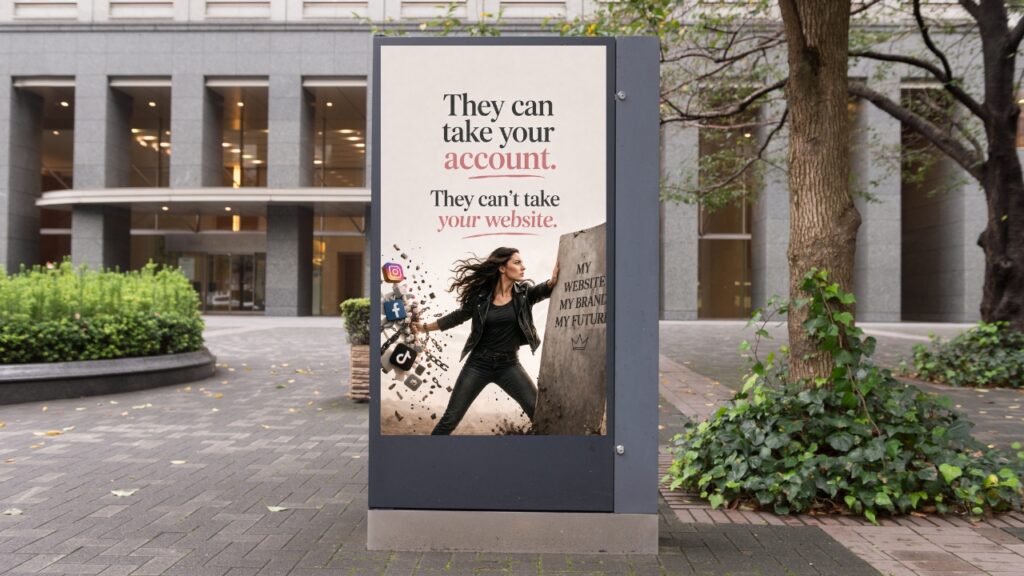
Instagram disabled my account without warning on a Friday afternoon. I had done nothing wrong, no spam, no violations, and not a single flagged post. I had been showing up consistently for years, building an audience that actually mattered to my business. Then the account disappeared without any notice.
Two weeks passed before I got it back. Everything was fully restored after four weeks.. What happened during that time changed how I think about running a business online, and not in ways I expected.
If you depend on Instagram as a business owner, you need to know these lessons before this happens.
You Can Follow Every Rule and Still Lose Access
I wasn’t prepared for this part. I had never had a post flagged or received a warning of any kind. My content followed Instagram’s community guidelines, and I had no history of any violation.
That didn’t matter. Meta’s own transparency data shows they later reverse a significant portion of account actions on appeal, which means they disable a meaningful number of accounts without those accounts actually breaking any rules. Mine was one of them.
Instagram’s review system relies heavily on automation and user reports. A single report from someone who wants to cause problems is enough to trigger a disable. There’s no warning, no chance to correct anything, and no timeline for review.
I’m sharing this not to be discouraging, but because if you think following the rules will protect you, you are working from a false sense of security. You can do everything right and still find yourself locked out on a Friday afternoon.
What a Disabled Instagram Account Actually Costs a Business Owner
The practical cost was immediate. I had leads in my direct messages that I couldn’t follow up on. There were people who had messaged me about working together. I had no way to reach them and no way to explain what had happened.
Losing the account also cut visibility. Clients who wanted to refer me had nowhere to send people. Anyone who searched for me found nothing, which made it look like the business had closed or quit.
It also cost credibility, and that’s harder to measure. Two weeks of silence from a business account says something, even when that silence is completely out of your hands. You lose the thread of your relationship with your audience, and rebuilding it takes longer than the downtime itself.
Back Up Your Content Before You Need To
Instagram lets you download a complete copy of your account data from the app under Settings > Account > Download Your Data. I had never done this. When Instagram disabled my account, I had no backup. I lost years of posts, captions, and every lead conversation in my direct messages. The Instagram data download page walks you through the process. It takes a day or two for the file to arrive. Do it now, while you still have access, and make a monthly habit of it going forward.
This matters most for the direct message conversations in your inbox. Instagram doesn’t back them up anywhere else. If leads, partnerships, client conversations, or even online friendships live in DMs, they stay at risk every day without a backup.
The content you have posted over the years also represents real work. Captions, strategies, creative choices, relationships built through comments and replies. None of it should exist only on a platform you do not control.
Your Website Is the Only Thing You Truly Own
This is the lesson I keep coming back to. Instagram can take away your account. It cannot take away your website, your email list, or the relationships you have built through channels you actually own.
Your email list in particular is yours in a way that no social media following ever is. Your subscribers chose to give you their contact information. Nobody can remove them from your list. No algorithm decides whether they see your messages. When Instagram went down for me, my email list stayed exactly where it was.
This isn’t an argument against using Instagram. It’s an argument for building your marketing on a foundation that doesn’t depend on someone else’s platform staying available. A strong website with good SEO works for you every day, even on days when Instagram has other plans.
If the thought of your Instagram account disappearing overnight genuinely worries you, that’s useful information. It means your business has more exposure to platform risk than you probably want. The fix isn’t to stop using Instagram. The fix is to build something underneath it that holds.
Frequently Asked Questions
Yes. Instagram’s automated systems and user reports can trigger a disable before anyone verifies whether a violation actually occurred. Meta’s transparency data shows that many account actions are reversed on appeal, which means the original action was in error. Following the guidelines reduces your risk, but it doesn’t eliminate it.
The business loses access to direct messages, content, the follower list, and the ability to be found or referred through the platform. Leads in conversation can’t reach the account. New potential clients who search find nothing. The impact depends on how much of the marketing and sales process runs through Instagram.
Go to Settings in the Instagram app, then Account, then Download Your Data. Request a copy of your data using the email address connected to your account. Instagram will send a download link within a day or two. The file includes your posts, captions, stories, and direct messages. Make this part of a monthly routine rather than something you do in a crisis.
Business and Creator accounts connected to a Facebook Page have one significant advantage: access to Facebook Business Chat support. This route gives you a faster path to a real support specialist instead of relying entirely on automated review. If your account is currently a personal account and Instagram is important to your business, switching it to a Business or Creator account is worth considering.
Keep an active email list and a well-maintained website that doesn’t depend on Instagram to bring in leads. Back up your Instagram data monthly. Connect your account to a Facebook Business Page so you have access to the Chat support channel if you need it. If you’re a regular Instagram user, Meta Verified adds identity verification and access to faster, dedicated support.
The last post in this series covers the specific forms and steps that helped get my account restored after four weeks . If you’re currently in the middle of trying to get an account back, that’s where you want to go next.